
Skip to content
Locomotion OS
IntegrationsPricingResourcesES
Sign inRequest demo
LOCOMOTION GO

At the vehicle.
In the record.

The complaint you hear. The VIN you see. The wear you find. Capture it in Locomotion, so the next person has the full story.

Request a demoExplore capture tools

Your phone browser. Your existing shop login.

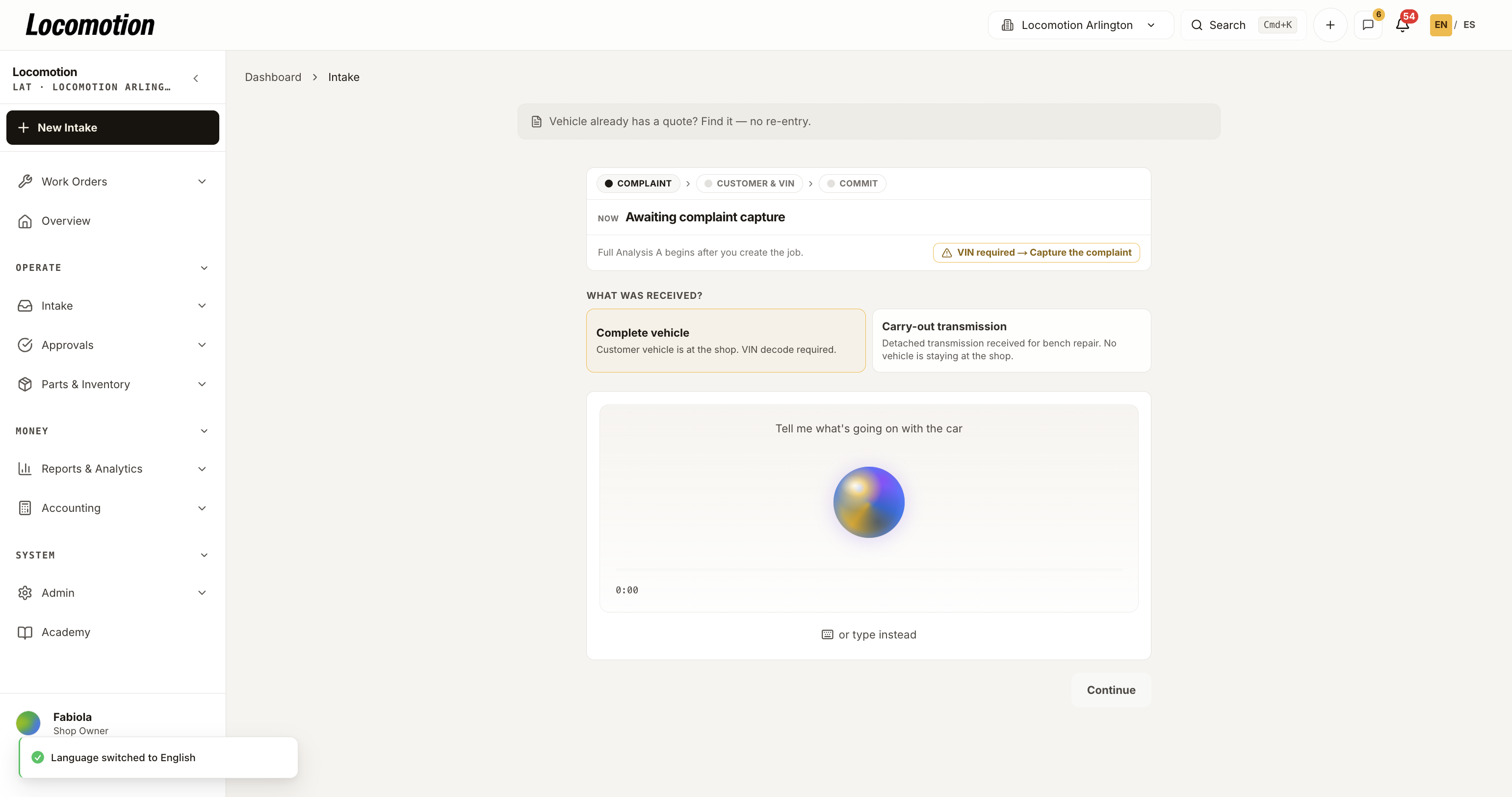
Detail of actual Locomotion desktop intake with voice and manual complaint capture
Actual desktop intake · Detail viewClick to enlarge ↗
THREE WAYS TO BRING THE WORK IN

Less to remember.
More to work with.

Capture through a supported browser, then review the details before you confirm.

Speak.

VOICE OR TEXT

Capture the complaint while it’s fresh.

Dictate customer symptoms and technician notes, review the transcript, and correct the details before continuing. Manual entry is always part of the workflow.

  • English and Spanish transcription
  • Review before confirming
  • Typed notes when voice isn’t practical

Scan.

VEHICLE CONTEXT

Start with the right vehicle.

Use a VIN photo or enter the VIN manually. Review the decoded vehicle details before committing a managed diagnosis case.

  • Camera-assisted VIN capture
  • Visible decode and scan errors
  • Vehicle review before Analysis A

Capture.

TEARDOWN EVIDENCE

Bring the bench findings into the case.

Guided photo capture organizes pan and magnet debris, valve body wear, and clutch pack evidence. Add a bench note and review assistive visual findings alongside the physical inspection.

  • Guided three-photo capture
  • Retake images before analysis
  • Technician review of AI findings
CAPTURE IS JUST THE START

One record.
A better handoff.

The intake record carries the complaint and vehicle context into diagnosis. Your team can review what comes next without rebuilding the story from separate messages.

Explore the diagnosis workflow

Before you take it into the bay

Do we need a separate mobile app?

The workflow runs in the browser. Camera and microphone features depend on your device, browser support, and permissions. We’ll check the devices your team uses during setup.

Can we work without an internet connection?

Plan on a connection for transcription, VIN decoding, AI analysis, and confirmed saves. An offline or pending message is not confirmation that a case update reached the shop record.

Does photo analysis replace inspection?

Photo analysis supports the technician’s review. It does not certify a component, guarantee measurements, or replace physical inspection and human confirmation.

See it with your team’s workflow.

Request a demo
Locomotion OS

Diagnosis, parts, and repair. One connected workflow for transmission shops.

Product

  • How it works
  • Diagnostic AI
  • Mobile workflow
  • Parts & inventory
  • Integrations

For your shop

  • Pricing & setup
  • Request a demo
  • Guides & articles
  • Sign in

Need a vehicle repair?

  • Arlington, TX
  • Houston, TX
  • Austin, TX
  • Request a repair estimate
© 2026 Locomotion OS by Locoreal.
PrivacyTermsEspañol